Corporate digital signage: screens, kiosks and dynamic displays
Three converging challenges and an RGAA 4.1 + Labour Code framework
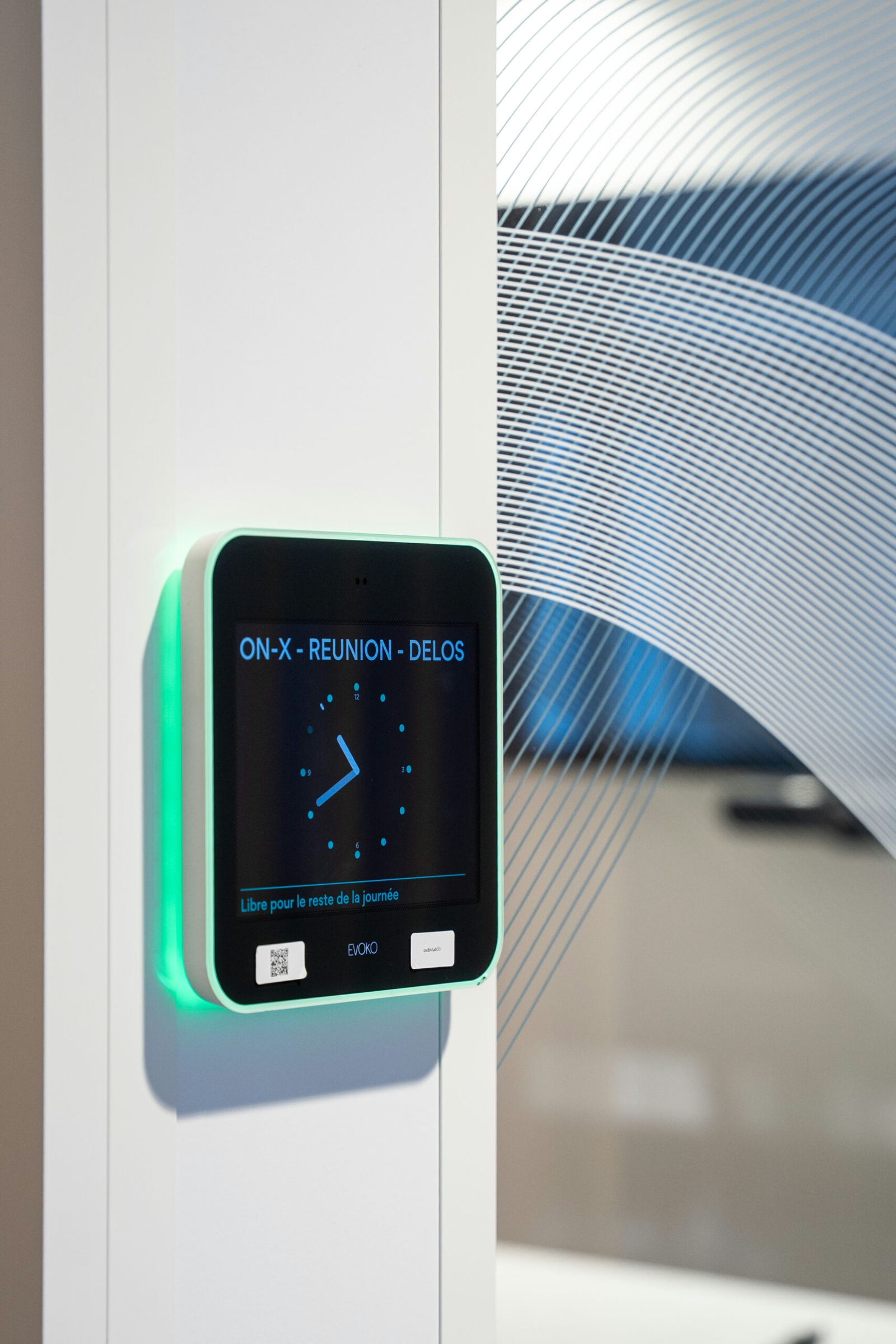
6 to 9 screens are enough for an 850 sq m floor: beyond that, the system costs more than it streamlines. Industry orthodoxy pushes for multiplying digital touchpoints; our experience shows that a limited number of well-calibrated displays is enough to streamline usage, within a standard 12-week timeline. Four solutions dominate: 55-inch wayfinding screens, booking tablets, RGAA 4.1 interactive kiosks, LED reception walls. For an Asset Manager or a CFO, the issue is not density but measurement: a measurable drop in reception requests, the near-disappearance of ghost rooms, a controlled OPEX line. This expertise page details the regulatory framework (RGAA 4.1, R4227-13), the 5-step Kytom method over 12 weeks, the quantified benefits and the key trade-offs to weigh before any multi-site rollout.

Digital signage addresses three simultaneous challenges for office management teams: streamlining flows, enhancing the employer brand, and managing space occupancy. Lighting and digital equipment account for up to 21% of an office building’s electricity consumption, which calls for low-consumption screens and automated time-based management.
The regulatory framework rests on three pillars:
- Articles R4227-13 and following: clear and permanent safety signage, supplemented but never replaced by digital.
- Article R4227-5: maximum floor capacity set on the basis of exit units; a single emergency staircase of 1.40 to 1.50 m allows 100 people per floor, a key figure for sizing evacuation screens.
- RGAA 4.1: applicable to interactive kiosks serving the public, with a minimum contrast of 4.5:1 and mandatory audio alternatives.
Across the Kytom portfolio, 4 projects out of 10 include at least 2 digital displays: a reception screen, booking tablets and a directional totem.
Contrary to common practice among integrators, Kytom advises against digital below a 300 sq m floor or for a headcount under 25 employees. The cost/usage ratio remains unfavourable: well-designed physical wayfinding covers the needs, and the ROI of the digital system exceeds 5 years. The trade-off also tips towards physical for sites with fewer than 4 meeting rooms, where the booking tablet becomes a gimmick, or for buildings without a dedicated reception.

For the CFO and the Asset Manager: what digital signage really delivers
Delivered projects reveal four key benefits of correctly sized digital signage: a reduction in reception requests, the near-disappearance of ghost rooms thanks to booking tablets, a perceived improvement in the employer brand from delivery onwards, and lower consumption from screens controlled by presence sensors.
For a CFO, the reading is OPEX before CAPEX. Connected tablets free up room slots that were previously blocked, reducing the need to lease additional space: at 250 EUR/sq m/month for Parisian rent, two recovered 15 sq m rooms represent 90,000 EUR/year of productive space that does not need to be leased externally. For an Asset Manager, the trajectory of reducing tertiary-sector consumption requires documented monitoring; screens controlled by presence sensors contribute directly to the portfolio’s energy reporting by significantly reducing consumption outside occupancy hours.
Directional screens also relieve the office manager of repetitive guidance requests, freeing up time for higher-value tasks. On the attractiveness side, a well-designed digital reception is an immediately visible marker for candidates and visitors.
Limits. These gains assume active editorial governance: without a designated internal contact, the operational benefits remain very partial. The benefit is therefore not automatic.

5-step Kytom method aligned with the standard timeline
The method unfolds in five steps calibrated on the standard timeline observed across our delivered projects.
- Flow audit (weeks 1-2). Mapping of visitor and employee journeys, measurement of friction zones, identification of 3 to 5 priority digitalisation points.
- Graphic and UX design (weeks 3-5). Digital guidelines aligned with the brand identity, RGAA 4.1 compliance for interactive kiosks, content scripting.
- Technical selection (weeks 5-6). Comparison of three professional screen brands, with a minimum manufacturer-stated lifespan of 50,000 hours, and of two dynamic display software solutions.
- Architectural integration (weeks 7-10). Embedding of displays into furniture, acoustic partitions compliant with the applicable regulatory requirements, or bespoke totems, by dedicated teams.
- Commissioning and training (weeks 11-12). Sessions for office managers, 36-month hardware warranty, on-site intervention within 48 hours via the network of 11 branches across France and Spain.
A signed acceptance report closes the phase, accompanied by a quarterly editorial calendar co-built with the internal contact.
Our reading differs from the standard integrator narrative on this specific point: three months does not always hold. On multi-floor sites with more than 15 digital points, or where there is a security IS with badging to interface with, the realistic timeline rises to 16-20 weeks. Forcing the project schedule leads to incomplete acceptance and post-delivery rework. The IRB Architect must anticipate this gap from the preliminary design phase.
Software maintenance and content governance: the forgotten OPEX line
Two points of vigilance determine the durability of the system over the first years of operation, and constitute the main OPEX line underestimated by real estate management teams.
- Software maintenance. One screen in five suffers a display failure for lack of a player update. A supervision contract including security patches and hardware replacement within 48 hours is essential. The cost typically represents 8 to 12% of the hardware capital per year, a budget line to be settled from the costing phase and not discovered in year 2.
- Content governance. Without a single owner, screens quickly become obsolete for lack of regular content updates. Kytom recommends an internal contact trained over two half-days and a quarterly editorial calendar. Static content left in a loop for more than six months has a counterproductive effect on visitor and candidate perception.

Method
- Audit of the visitor and employee journey
Map the decision points: entrance, lift, landings, rooms. Identify the current pain points (lost visitors, booking conflicts). Kytom carries out this audit in 3 days on an occupied site. - Technical and budget design
Definition of the number of screens, formats, locations and chosen CMS. Detailed costing including hardware, ELV/HV cabling, licences and content. Validation of joinery integrations and PoE power supply. - Content and template production
Creation of 8 to 12 templates in the company colours: visitor reception, org chart, events, emergencies. Training of 2 internal contacts on the CMS over 2 sessions of 2 hours. - Coordinated installation on occupied site
Screen installation, network connection, CMS configuration. Interventions scheduled outside working hours or in isolated zones to preserve activity. Unit tests and user acceptance in the presence of the Office Manager. - Go-live and responsive after-sales service
Official switchover, support during the first days, dedicated Kytom hotline. Optional maintenance contract: intervention within 24 working hours, proactive portfolio supervision and annual template updates.


